What DATIFY does

Your data in one place.The foundation for your agendas – capture, find, automate – with AI that works on the data.

In short

Records that hold together

Contracts, vehicles, assets and people live in structured tables with column types, relations and attachments – not in ten spreadsheets on a drive.

Everyone builds their own view, filter or summary over the same data. What repeats is taken over by rules and agents.

Working with tables
Foundation

Three pillars the app builds on

Before AI can work, it needs something to work on. DATIFY first captures your agendas, lets you find things in them and watches them with rules.

Capture data

Your agendas in structured records

Contracts, vehicles, invoices and people live in tables with columns, relations and attachments – not in ten spreadsheets and folders on a drive.
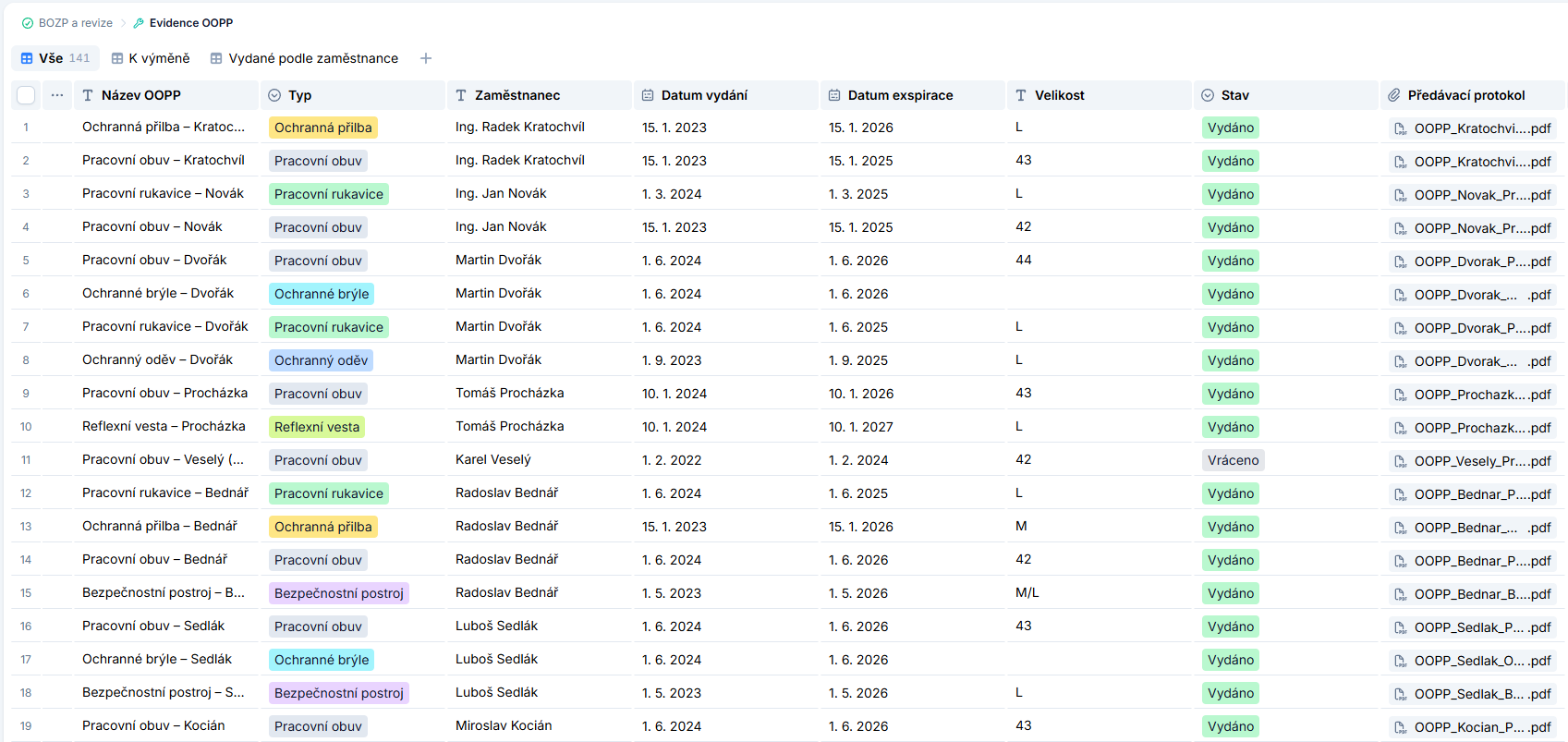
Columns to fit: text, number, date, select, attachment or relation
Attachments and documents stay with the record they belong to
Change history on every record
Find

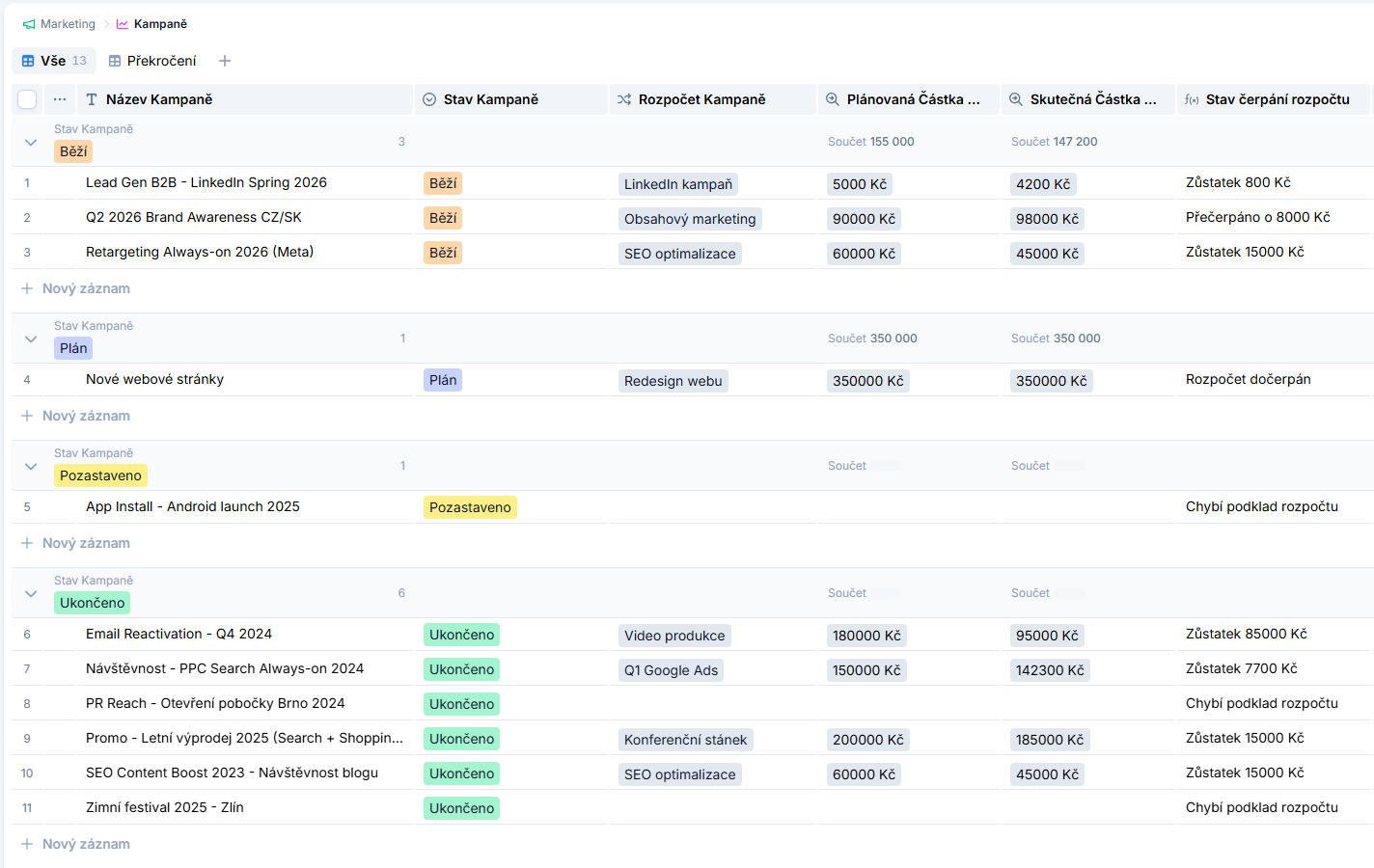
Views, filters and summaries over every agenda

Filter, sort, group and total on the spot. What you need to see is one click away as a saved view.

Group by with sums right in the group header
Formula columns that compute a value (like budget status)
Build a filter, or describe it in plain language with Datify AI
Automate

Rules that watch and act for you

A trigger and its actions: deadlines, notifications and approvals run on their own, no scripts and no reminders.

  • Deadlines and due dates watched with advance reminders
  • Approval flows with clear steps
  • Set up by clicking, not by scripting
Automation
AI

And an AI layer on top

The same data is then worked by AI – from document extraction to an agent that does the task itself.

AI assistant

An agent that does the work, not a chatbot that answers

Describe the goal in a normal sentence. The assistant walks your workspace on its own, plans the steps, carries them out and shows what it touched.

There is more than one lookup behind an answer. The assistant works in a loop: it decides the next step, performs it, checks the result and continues until the task is done. Longer work runs on the server, so you can close the chat and come back to a finished result.

  • Handles a ten-step request at once and plans the sequence itself
  • Works under your permissions: it never sees what you cannot
  • Every answer comes with a summary of what changed in your data
  • The last step that changed something is one click away from undo
How agents work
Document extraction

From an invoice or contract straight to a filled-in record

Upload a document and instead of retyping you get a finished record, complete with the attachment the data came from, so you can always trace it back.

Invoices, contracts and scans are read and split into the columns you already have. The original file stays with the record as evidence, so the source of every value is always at hand. Several files can be processed at once.

  • Invoices, contracts and scans into prepared columns
  • The original file stays with the record as evidence
  • Bulk processing of several files at once
  • Extracted values can be reviewed before they are saved
File extraction
AI filters

A filter described in a sentence, not assembled from conditions

Write what you want to see and DATIFY builds the filter. No clicking through operators and nested condition groups.

Instead of assembling conditions through operators and nested groups, you write what you are looking for in plain language. The result can be saved as a view, so next time it is one click away. It works across linked tables too.

  • Plain language instead of stacking conditions
  • Save the result as a view
  • Works across linked tables
  • The conditions stay visible and can be fine-tuned by hand
Views, filters and sorting
AI architect

It builds a new agenda for you, relations included

Describe what you need to keep track of. A data structure appears (tables, columns, relations and views), ready to be fine-tuned by hand.

You do not have to start from an empty table or work out how to split the data. Describe what you need to record and the whole structure appears, including relations between tables. From then on it is an ordinary agenda you edit by clicking.

  • Creates the agenda and the data source from your description
  • Links tables with relations and writes formulas
  • Suggests views and automations right away
  • The result stays fully editable by hand
Introduction to agendas
Generated outputs

A report built for you out of your own data

PDF, Word, PowerPoint, Excel or a chart built on what is in your tables. No export into another tool.

The output is built from current data, not from an export that goes stale in a week. The finished file stays with the conversation ready to download, and the same request can be repeated next month without writing it again.

  • PDF, Word, PowerPoint, Excel and charts
  • Built directly from current data
  • The finished file stays with the conversation
  • The same request can be repeated next month
Document generation

Want to see these on your own data?